
Anthropic has officially bridged the gap between cloud reasoning and on-premises storage. With the release of desktop workspace integration, Claude Cowork local file editing allows the AI assistant to directly read, analyze, and safely modify files stored directly on your machine. This completely eliminates the tedious cycle of uploading CSVs, PDFs, and scripts to web interfaces.
Unlike traditional sandboxed web interfaces, Claude Cowork local file editing operates through a secure, permission-gated boundary attached to your local directories. This upgrades Claude from a conversational chatbot into an active digital colleague capable of refactoring code, updating spreadsheets, and reorganizing folder hierarchies on disk.
| AI Assistant Platform | Local File Editing Capability | Desktop App Required | Primary Target User |
|---|---|---|---|
| Claude Cowork | Yes (Permission Gated) | Yes | Developers & Knowledge Workers |
| ChatGPT Plus | No (Upload Only) | Optional | General Consumers |
| Google Gemini Advanced | Google Drive / Workspace Only | No | Enterprise Teams |
1. Zero-Cloud File Streaming for Local Privacy
Privacy is the top concern when granting an AI assistant access to internal assets. Claude Cowork local file editing processes directory contents through localized hooks without mirroring your whole folder tree online. Security remains intact because the agent can only read, write, or execute within explicitly assigned directory boundaries.
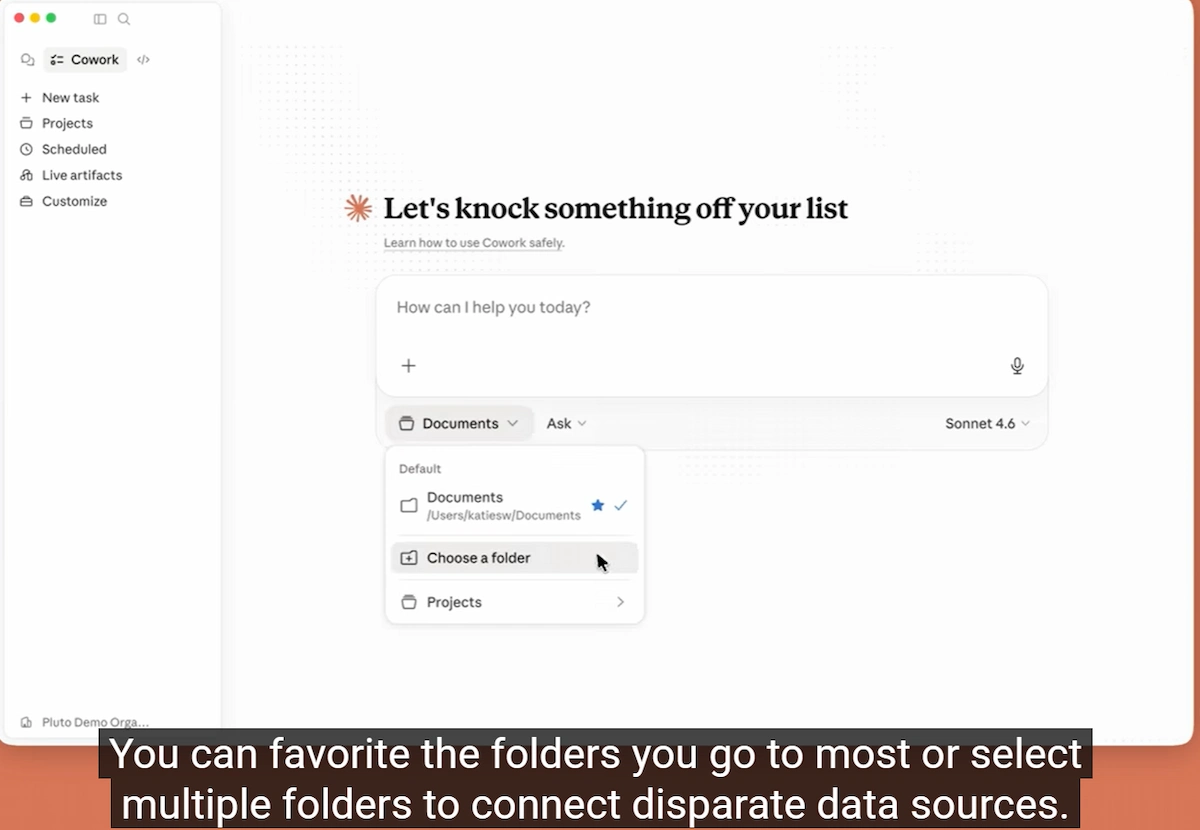
2. Real-Time Workspace Synchronization
Earlier AI workflows required constant re-uploading every time a document or source file changed. With Claude Cowork local file editing, modifications made inside local code editors or markdown apps are recognized instantly by Claude’s operating context, keeping project states continuously synchronized.
3. Configuring Strict Boundary Permissions
To safely run local workspace edits, you can initialize the environment using strict configuration rules. Below is the JSON configuration standard used to restrict read/write boundaries to an isolated project directory:
{
  "workspace_path": "/Users/admin/Claude_Projects",
  "permissions": "read_write",
  "network_access": false
}4. Dependency Mapping across Projects
When interacting with local folders, Claude Cowork local file editing automatically maps relationships across interconnected files. It tracks script imports, config bindings, and document links so changes in one file propagate smoothly to linked documents without breaking structural integrity.
Download our secure folder structuring blueprint to safely isolate your projects for Claude Cowork in the in our free Insider Hub.
5. Visual Diff Previews Before Commit
To eliminate accidental overwrites, Claude Cowork local file editing presents a side-by-side diff preview prior to committing any file changes directly to disk. Users can approve, tweak, or reject updates line by line.
6. Automated Maintenance of Documentation
Beyond developer tasks, Claude Cowork local file editing functions as an automated documentation maintainer. It can parse markdown notes, update tables of contents, and cross-reference newly added files across entire documentation directories simultaneously.
7. Eliminating the “Upload Tax”
By operating directly on local files, Claude Cowork local file editing removes bandwidth bottlenecks associated with large context window re-uploads . Large datasets remain on disk, drastically lowering latency and eliminating cloud storage overhead.
Explore More on The NexGen AI
- Latest Updates: Browse our coverage on artificial intelligence breakthroughs
- Automation Guides: Claude Computer Use: 5 Powerful Automation Features
External Open Source Resources
- Anthropic: Official Claude Cowork Announcements
- GitHub: Trending AI Automation Repositories
- TechCrunch: Latest AI Industry Funding and Updates