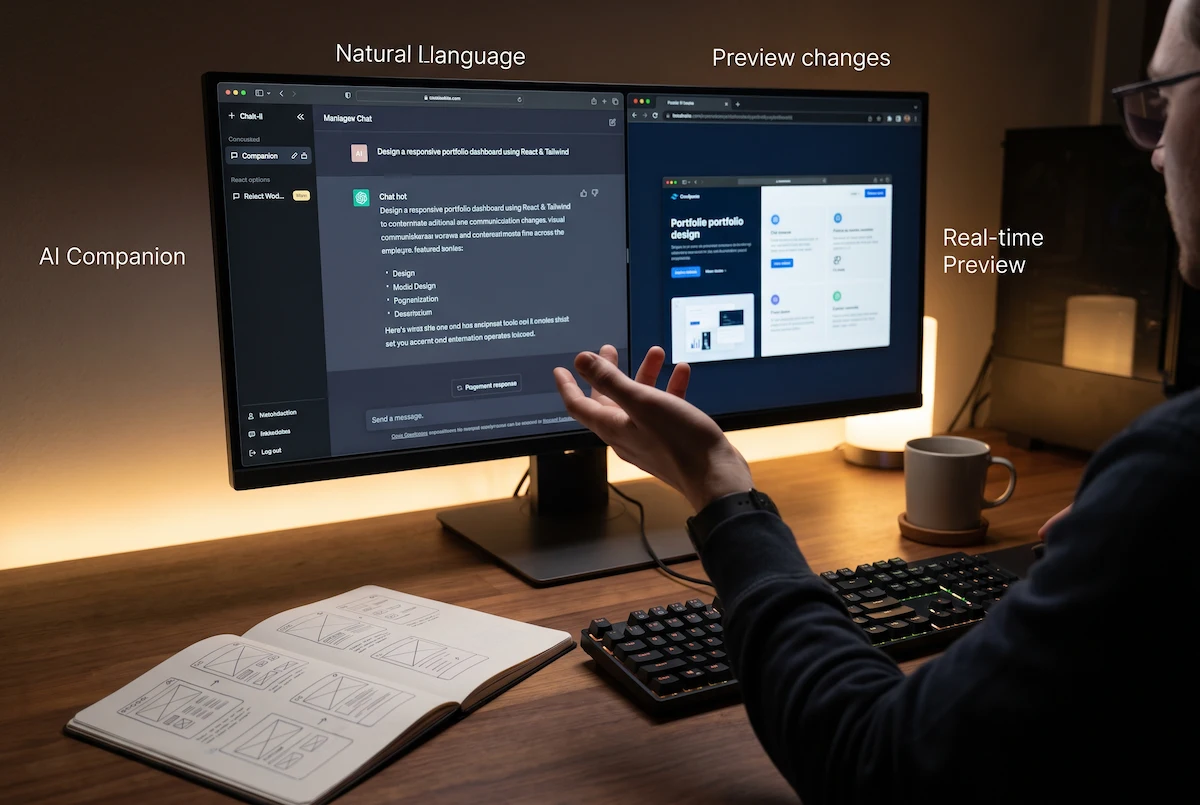
The way we build software has completely changed. If you are a student, founder, or beginner, mastering vibe coding is the fastest way to turn your ideas into functional digital products in 2026 without writing syntax.
Instead of typing complex code line by line, you use natural language to direct an AI agent. To help you master this new development style, we have designed this downloadable visual reference guide. Bookmark this cheat sheet, save the infographic, and use it as your daily building blueprint.
1. The Vibe Coding Architecture
In traditional programming, you memorize syntax. In vibe coding, you manage the architectural logic. Use this visual workflow to understand the exact feedback loop required to build successfully.
2. The Best Tools for Vibe Coding in 2026
You need the right integrated development environment (IDE) or browser tool to guide the AI effectively. Here are the top platforms used by professionals today to execute a flawless vibe coding workflow:
- Cursor IDE: Currently the most popular AI code editor on the market. It looks exactly like Visual Studio Code but includes a powerful autonomous agent (Composer) that can read your entire project and write code across multiple files simultaneously.
- Bolt.new: A browser-based web development tool perfect for absolute beginners. You can build, preview, and deploy a full React or Vue application directly in your internet browser without installing anything locally.
- Claude Code: An advanced command-line tool created by Anthropic, designed to handle large-scale architectural changes securely.

3. The “Vibe and Verify” Method Explained
The biggest mistake beginners make when attempting vibe coding is blindly trusting the AI’s first output. To succeed, you must adopt the “Vibe and Verify” methodology.
After the AI generates a new feature (like a login screen or a database connection), you must test it immediately. If a button does not work, you copy the error message and feed it back to the AI. If the AI fails to fix the bug after three consecutive tries, the golden rule of vibe coding applies: delete that specific code block and ask the AI to try a completely different approach or use a different software library.
4. Structuring Your Initial Prompts
To get the best results, you cannot just say, “build me a calculator app.” You must structure your instructions using the RTC Framework (Role, Task, Constraints).
Always define the tech stack clearly. For example, tell the AI: “Act as an expert frontend developer. Build a modern calculator app using React and Tailwind CSS. Ensure the design is mobile-responsive and uses a dark-mode color palette.” By setting strict parameters upfront, the AI generates much cleaner code.
5. Security and Future Limitations
While vibe coding is incredibly fast, it requires human oversight. AI models can sometimes introduce security vulnerabilities, known as hallucinations, or utilize outdated software packages. It is highly recommended to run your generated code through basic security audits, especially if you are handling sensitive user data or API keys.
Pro Hint: Start Small Before Scaling
Do not try to build a massive enterprise SaaS platform on your first day. Start your vibe coding journey by asking your AI tool to build a simple single-page application, like a “Daily Habit Tracker” or a “Pomodoro Timer.” This teaches you how the AI responds to your specific prompting style without overwhelming you with complex backend databases.
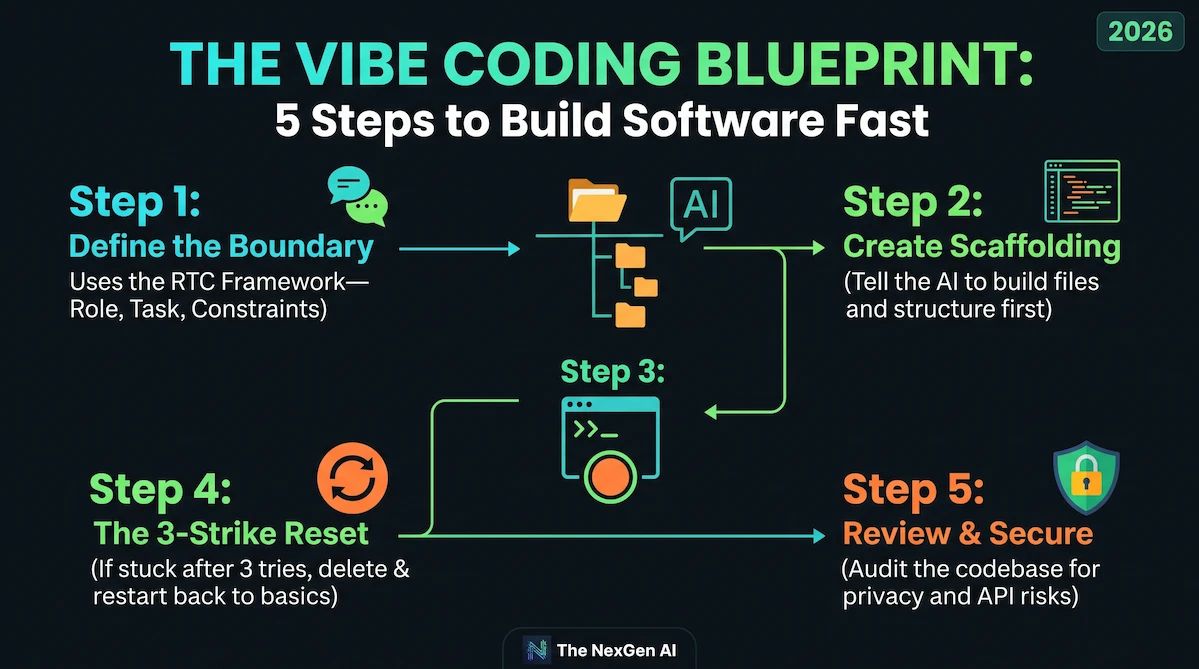
- We recommend using the above 5 steps to build your software fastly and correctly.
External Resources & Further Reading:
- Download the industry-leading AI editor at Cursor.com.
- Learn about Anthropic’s latest coding models on the Anthropic Research Blog.
Explore More on The NexGen AI:
- Explore our full library of software solutions in the AI Tools & Reviews Hub.ork.
- Need to structure your instructions better? Read our Perfect AI Prompt RTC Framework.