Choosing the right AI development assistant is a critical decision for modern software engineers. After careful research and review, we found that when analyzing the Cursor vs GitHub Copilot , you are looking at the two most powerful coding platforms shaping the tech industry today.
By 2026, over 90% of developers report using an AI coding tool daily. While GitHub Copilot started the generative revolution by acting as a highly intelligent autocomplete tool, Cursor has quickly emerged as a platform built entirely around autonomous multi-file AI agents. Understanding the nuances of these two platforms will determine how fast you can ship your next digital product, whether you are a seasoned engineer, a student, or a beginner testing out vibe coding.
Here is a comprehensive, visual-first comparison to help you choose the best tool for your development workflow.
1. How Cursor vs GitHub Copilot Work
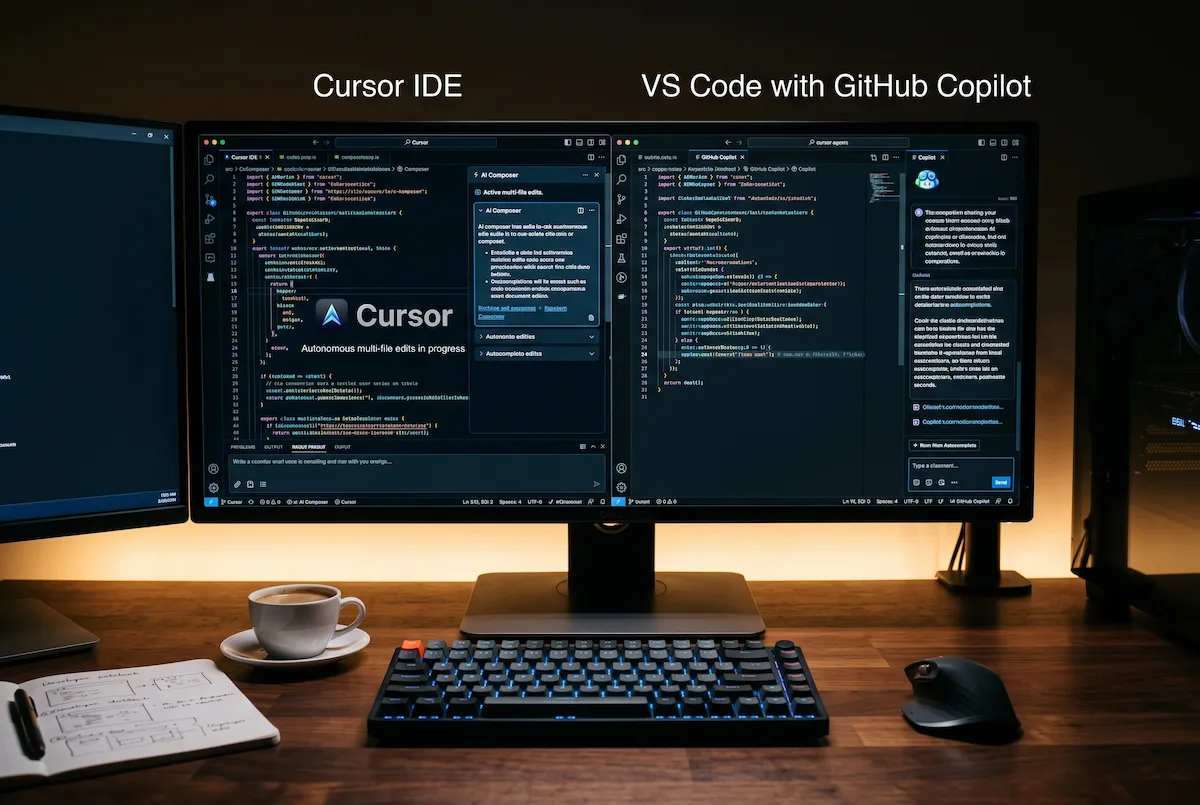
Before choosing between these two platforms, review the visual breakdown below to compare how each tool handles multi-file editing, model selection, and automated error fixing:

While both tools are designed to help you write code faster and with fewer bugs, they operate with vastly different philosophies regarding how much control the human should retain.
GitHub Copilot operates as a brilliant pair-programmer standing next to you. As you type, it predicts the next line or block of code. You can also open a dedicated chat window to ask questions about your repository without leaving your flow state.
On the other hand, Cursor IDE acts as a junior developer working autonomously for you. Using its “Composer” feature, you can give Cursor a massive task (e.g., “Add a user authentication system to this app”). Cursor will plan the necessary changes, write the code across five different files, and apply the updates automatically for you to review.
Key Takeaway: Notice how Cursor is built as a standalone editor to support multi-file generation, whereas GitHub Copilot operates as an extension inside your existing Integrated Development Environment (IDE).
2. Feature Comparison Reference Table
When comparing Cursor vs GitHub Copilot, it is vital to look at the models powering them and how they integrate into your daily habits. we recommend using this quick-reference table when deciding which tool to install for your next build.
| Feature / Metric | GitHub Copilot | Cursor IDE |
| Primary Workflow | Inline autocomplete & sidebar chat. | Multi-file autonomous agent coding. |
| Base Environment | Extension for VS Code / JetBrains. | A custom standalone version of VS Code. |
| AI Model Access | Mostly proprietary Microsoft/OpenAI models. | Toggle easily between Claude 3.5, GPT-4o, etc. |
| Terminal Integration | Basic terminal command suggestions. | Reads terminal errors live and fixes automatically. |
| Target Audience | Enterprise engineers wanting speed & security. | Freelancers, founders, and vibe coders building fast. |
Key Takeaway: If you want to use the newest models like Claude 3.5 Sonnet for complex frontend work, Cursor allows you to switch AI brains instantly, whereas Copilot relies on Microsoft’s controlled ecosystem.
3. The Power of Agent Mode
The defining difference in this ecosystem is Agent Mode.
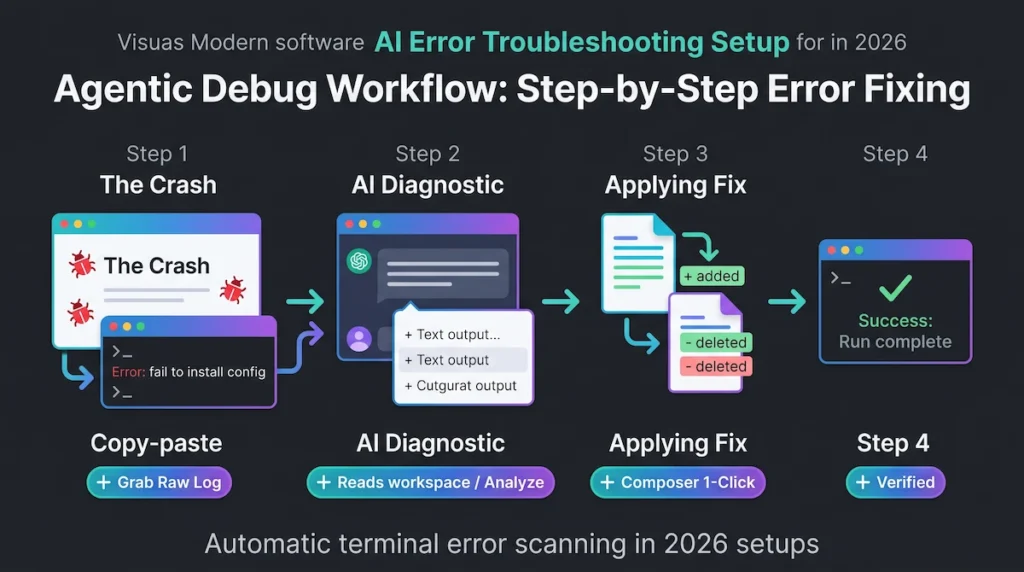
Cursor’s agent can read your live terminal errors. If your software crashes during testing, the agent can autonomously analyze the error message, locate the broken code within your vast project directory, suggest a fix, and apply it. While GitHub Copilot is heavily investing in similar agentic workspace features, Cursor currently provides a smoother, more aggressive experience for users who want the AI to handle complex problem-solving automatically.
4. Enterprise Security and Data Privacy
If you work in a strict enterprise environment where data privacy, compliance, and intellectual property protection are heavily regulated, the debate heavily favors GitHub.
Backed by Microsoft, GitHub Copilot Enterprise offers massive corporate security guarantees, ensuring that proprietary company code is never used to train public models. This makes it the ultimate choice for large engineering teams and Fortune 500 companies.
Conversely, Cursor is widely considered the superior tool for freelancers, startup founders, and beginners learning how to build software. Its ability to manage large project changes using only natural language makes it incredibly accessible for non-technical builders.
5. The Final Verdict: Which Tool Wins?
The winner of the Cursor vs GitHub Copilot matchup depends entirely on your role. If you are a seasoned software engineer working in a large corporate team, GitHub Copilot integrates flawlessly into existing workflows. If you are a solo developer, an indie hacker, or someone utilizing natural language programming to build apps from scratch, Cursor’s multi-file editing capabilities will save you hundreds of hours.
Pro Hint: Bring Your Own Keys (BYOK)
Both platforms charge a monthly subscription fee (typically around $20 per month). However, as you become an advanced user in the Cursor vs GitHub Copilot landscape, look into using API keys directly. Connecting your own Anthropic or OpenAI API keys to your code editor can sometimes offer higher usage limits and give you far more granular control over your monthly API expenses.
External Resources & Industry Links:
- Explore official enterprise plans and security features directly on GitHub Copilot.
- Download the agentic editor and review documentation at Cursor.com.
Explore More on The NexGen AI:
- Learn how to build software without syntax in our Vibe Coding Blueprint.
- Need to structure your instructions better? Read our Perfect AI Prompt RTC Framework.
- Discover more software solutions in our AI Tools & Reviews Hub.
- Have questions about enterprise AI deployment? Reach out on The NexGen AI Contact Page.