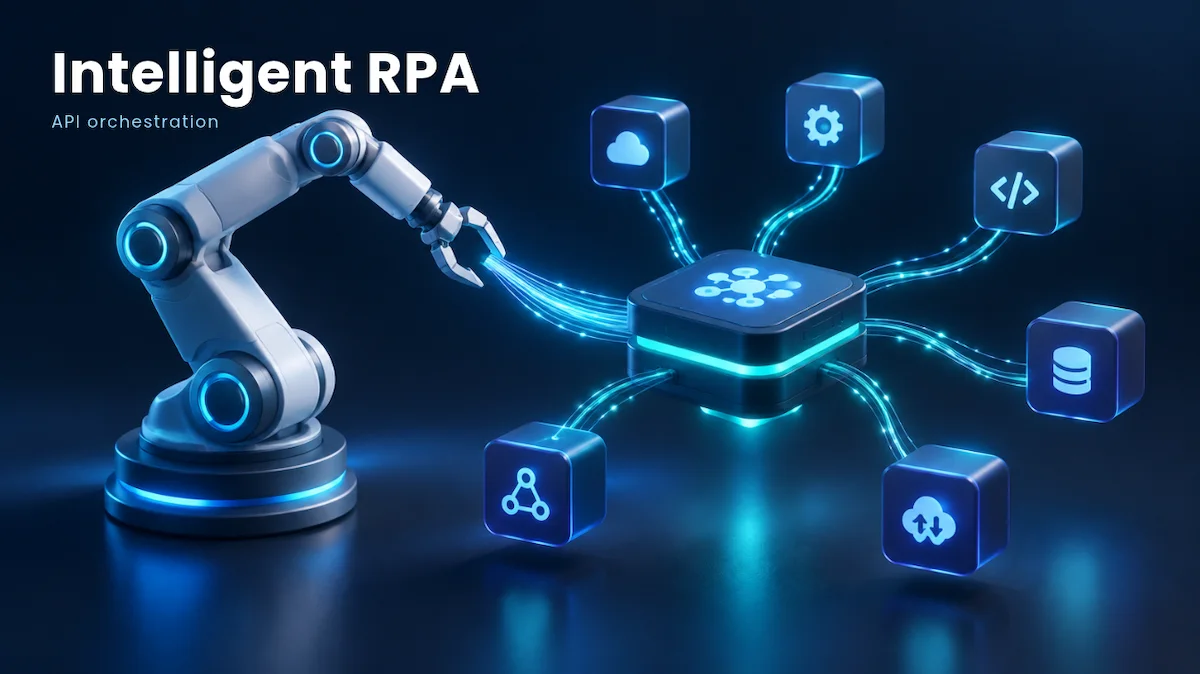
Intelligent RPA is most effective when APIs manage the primary workload, allowing bots to address only the gaps. Screen-based bots can fail with any UI changes, increasing maintenance costs and limiting the number of processes a team can automate. By combining robotic process automation with AI document understanding, API-first integration, event-driven triggers, and centralized governance, we can transition automation from standalone scripts to a robust production infrastructure. This brief outlines five strategies, compares platforms, and presents a resilient integration pattern. We aim to achieve greater efficiency with reduced maintenance.
1. The Bottom Line: API-First Intelligent RPA Wins on Total Cost
Intelligent RPA combines classic bot execution with machine learning, document understanding, and LLM-based decisioning. The scaling bottleneck is rarely the AI layer; it is the execution layer underneath it. Every bot that clicks through a screen inherits the fragility of that interface: a vendor release, a renamed field, or a slow page load breaks the execution.
The strategic shift is to treat the UI as the exception and the API as the default. Bots become orchestrators of services rather than simulated humans. That change moves Intelligent RPA from a departmental tool to core enterprise infrastructure, separating teams stuck at 20 bots from those running thousands of jobs a day.
2. Why Screen-Driven Bots Stall at Scale
UI automation scales linearly in cost: each new process adds selectors to maintain, virtual machines to license, and exception queues to staff. Failure modes compound rapidly. A single login-flow change halts dozens of workflows, and debugging requires replaying screen recordings instead of reading structured logs.
APIs invert that curve. A versioned endpoint features a strict contract, schema, and deprecation policy. Teams adopting intelligent RPA at enterprise scale should audit their bot inventory and tag every step as API-available, API-possible, or UI-only to uncover immediate automation wins.
3. Way One: Route High-Volume Work Through APIs, Keep UI Bots for Legacy
Target your top 10 high-volume processes and replace UI steps with direct API calls wherever target systems offer endpoints. ERP, CRM, and HRIS platforms natively support this. Reserve UI automation strictly as a fallback mechanism for mainframes, vendor portals, and legacy desktop applications lacking integration layers.
Implement a routing rule in each workflow: attempt the API first, fall back to the UI bot on defined errors, and log execution paths. Every fallback invocation acts as a migration candidate for permanent API integration.

4. Way Two: Put an Event-Driven Layer Between Bots and Systems
Polling wastes your compute power and creates delays. You should use real-time events instead. When a new invoice arrives or a ticket status changes, it should trigger your workflow instantly. Use a message queue or an event bus to handle these updates. This makes your system faster and much more efficient.
This architecture decouples producers from consumers. Cloud providers like Amazon Web Services offer managed queuing that enables your intelligent RPA engine to scale workers dynamically based on queue depth.
5. Way Three: Expose AI Document Intelligence as a Callable Service
Most enterprise value sits in unstructured inputs: invoices, claims, contracts, and emails. Embedding extraction logic inside individual bots duplicates models and fractures versioning.
Instead, wrap document classification and LLM extraction behind a centralized internal API that returns structured JSON and confidence scores. Vendors such as UiPath and IBM offer native document understanding tools. To forecast your engineering and compute overhead accurately, download our API Cost Calculator & PDF before your next sprint.
6. Way Four: Centralize Governance With an API Gateway
Scaling automation without centralized control creates shadow IT: hardcoded credentials, untracked data flows, and missing kill switches. Position an API gateway between bots and downstream systems to enforce authentication, rate limits, and schema validation.
Here is a minimal execution example illustrating an orchestrator job started through an API request with a confidence threshold and UI fallback:
import requests, os
payload = {'process': 'invoice_intake', 'route': 'api_first', 'confidence_threshold': 0.92, 'fallback': 'ui_bot'}
headers = {'Authorization': 'Bearer ' + os.environ['ORCH_TOKEN']}
r = requests.post('https://orchestrator.example.com/api/jobs', json=payload, headers=headers, timeout=30)
r.raise_for_status()
print(r.json()['job_id'])7. Way Five: Measure Automation Like a Product
Programs stall when tracking bot count rather than business outcomes. Evaluate performance using straight-through processing rates, exception frequency, and cost per transaction.
Use the portfolio matrix below to align your tooling strategy:
| Approach | Best For | Maintenance Burden | Scalability | Primary Risk |
|---|---|---|---|---|
| UI-only RPA | Legacy and desktop apps | High | Low to Medium | Selector breakage |
| API-first Intelligent RPA | High-volume core processes | Low | High | API rate limits and versioning |
| Hybrid (API plus UI fallback) | Mixed estates in migration | Medium | Medium to High | Fallback overuse |
| iPaaS integration | System-to-system data sync | Low | High | Limited human-task handling |
| Agentic AI orchestration | Variable, judgment-heavy work | Medium | Medium | Non-deterministic outputs |
8. Scaling Roadmap and ROI for Intelligent RPA
Sequence your rollout across three phases: inventory and tag systems in month one, deploy API-first hybrid workflows in month two, and integrate event architectures in month three. Analyst firms like Gartner note that budget allocations are shifting heavily toward outcome-driven platforms.