
If you are manually copying and pasting data between your emails, spreadsheets, and CRM in 2026, you are wasting hours of high-leverage time. The key to scaling a modern digital business is connecting your apps so they talk to each other automatically.
When you decide to automate your workflow, you will immediately hit the biggest debate in the no-code industry: Make.com vs Zapier.
Both platforms are incredible at moving data from Point A to Point B, but they are built for entirely different types of thinkers and budgets. Choosing the wrong one can lead to massive monthly bills or tangled, confusing workflows.
Here are the 5 critical ways to evaluate Make.com vs Zapier so you can pick the right engine for your business.
1. The Visual Interface: Linear vs. Canvas
The most obvious difference between the two platforms is how you actually build your automations.
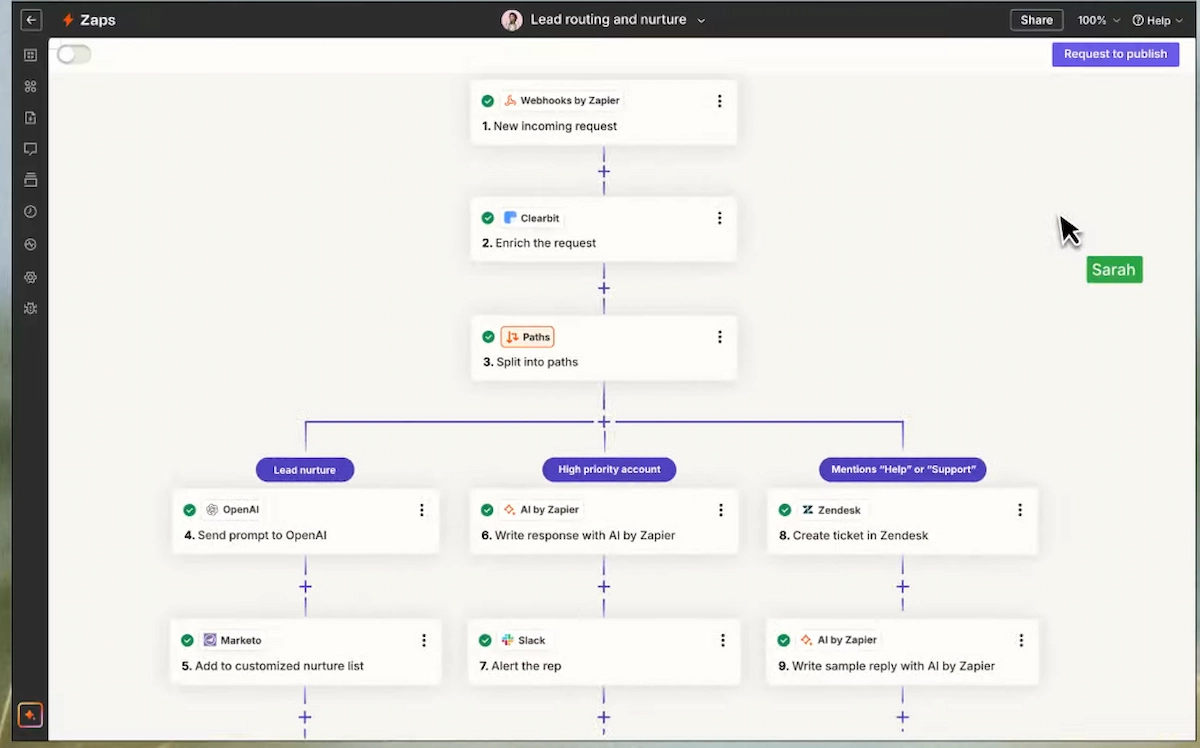
Zapier uses a linear, top-to-bottom interface. You start with a trigger (e.g., “When a new email arrives”), and you build a vertical list of actions that happen one after the other. It is incredibly intuitive and perfectly designed for beginners who want a workflow running in five minutes.
Make.com (formerly Integromat) operates on a limitless visual canvas. Instead of a rigid vertical list, you connect apps as interactive bubbles on a grid. You can drag them around, split them into multiple parallel paths, and build complex logic trees. It feels much more like visual programming. If you are a visual thinker dealing with complex, multi-step routing, Make is far superior.
Make.com vs Zapier : Review the spec comparison below to see how they stack up on pricing and learning curves:
2. Pricing and Task Management
When scaling an automated business, pricing is usually the deciding factor in the Make.com vs Zapier debate.
Zapier charges per “Task” (every time a step successfully runs). If you have an automation with 10 steps, and it runs 100 times a day, your Zapier bill will skyrocket rapidly. Zapier is widely considered premium enterprise software, and its pricing reflects that.
Make.com charges per “Operation” (which is similar to a task), but gives you significantly more operations for a fraction of the cost. Make’s $10.59/month plan gives you 10,000 operations. To get a similar volume on Zapier, you would spend hundreds of dollars a month. If you are building high-volume automations, Make is the only financially viable option for independent creators.
3. The App Ecosystem
Zapier is the undisputed king of integrations. With over 7,000 native apps available, if a software tool exists on the internet, it almost certainly has a direct Zapier integration.
Make.com has roughly 1,500 native integrations. While it covers all the major players (Google Workspace, Slack, Notion, OpenAI), you might occasionally find that a niche software tool you use is missing. However, Make compensates for this by having one of the best generic “HTTP module” and “Webhook” systems, allowing you to connect custom APIs easily if you know what you are doing.

4. AI Capabilities and Error Handling
Both platforms natively integrate with AI models like OpenAI and Anthropic to summarize text, classify emails, or generate images mid-workflow.
However, Make handles errors much more gracefully. If a step fails in Make, you can build visual “error routers” that tell the automation exactly what to do next (e.g., “If this email fails to send, wait 10 minutes and try again, then text me on Slack”). Zapier’s error handling is more rigid, often just stopping the workflow completely and sending you an email alert.
5. Pro Hint: Which Should You Choose?
Start with Zapier if you have zero technical experience, a high budget, and just need to connect two or three apps quickly. The massive app library guarantees it will work out of the box.
Switch to Make.com if you plan to build complex, multi-step AI agents, process thousands of data points daily, and want a visual map of how your business logic actually flows.
External Resources:
- Y Combinator’s Guide to MVPs: The definitive Silicon Valley framework for launching software fast and lean.
- Figma Prototyping Basics: The industry-standard tool for building your initial visual wireframes before moving to a builder.
Explore More on The NexGen AI:
- Ready to choose your visual builder? Read our Bubble vs FlutterFlow Guide.
- Want to use AI to write actual code instead? Check out our Vibe Coding Blueprint.
- Discover the best AI assistants for developers in our Cursor vs GitHub Copilot Breakdown.